
Unlock the power of the GEICO Mobile App in 2025 for seamless claim filing— from photo estimates to 24/7 roadside assistance. This complete guide covers step-by-step processes, app features, ratings (4.8/5 on App Store), and pro tips to speed up payouts amid rising accident rates. Manage policies, track progress, and save time on the go. Download now for hassle-free insurance.
With auto claims surging 12% in 2025 due to erratic weather and road congestion, the GEICO Mobile App has become a lifeline for millions, processing over 80% of submissions digitally. Boasting 4.8/5 stars on the App Store from 3.5 million reviews, this tool turns post-crash chaos into quick resolutions—often in under 48 hours for simple cases. Whether you’re dealing with a fender-bender or theft, this guide walks you through leveraging the app’s AI-driven features for faster, frustration-free claims. Backed by Berkshire Hathaway’s stability, GEICO’s app isn’t just convenient; it’s a game-changer for on-the-spot action.
Downloading and Setting Up the GEICO Mobile App
Getting started with the GEICO app is straightforward, ensuring you’re ready for emergencies without delay. Available for free on iOS (App Store) and Android (Google Play), it requires iOS 15.0+ or Android 8.0+ for optimal performance. Search “GEICO Mobile” in your store—it’s the top-downloaded insurance app with over 10 million installs on Android alone.
Upon opening, log in with your existing GEICO username and password—no separate account needed. New users can snag a quote in under five minutes, pulling in vehicle details via VIN scan. Enable notifications for claim alerts and integrate with Apple Wallet or Google Pay for instant digital ID cards, accessible offline. The app’s clean interface, praised in 2025 Keynova Group rankings as #1 for usability, mirrors the full website, letting you handle everything from one dashboard.
For security, it uses biometric login (Face ID/Touch ID) and end-to-end encryption, aligning with NAIC data privacy standards. Pro tip: Sync your policy during setup to auto-populate claim forms, cutting filing time by 30%.
- Quick Setup Facts:
- Download size: ~150 MB.
- Offline mode: View IDs and basic policy info without Wi-Fi.
- 2025 Update: Enhanced AI chat for instant query resolution, reducing hold times by 40%.
This foundation sets the stage for rapid claims, especially vital as U.S. accident reports hit 6.7 million last year per NHTSA.
Key Features for Streamlined Insurance Management
Beyond claims, the app’s toolkit empowers proactive handling, preventing small issues from escalating. At its core is policy management: View coverage details, update addresses, or add drivers in taps. Billing integrates Apple Pay and flexible autopay, with reminders to avoid lapses—crucial since 15% of 2025 denials stem from expired policies.
Roadside assistance shines, dispatching tows or jump-starts in under 60 minutes for $14.95/month add-on, with GPS tracking in real-time. DriveEasy, GEICO’s telematics program, monitors habits for up to 10% discounts, rewarding safe braking via app sensors. Vehicle Care, powered by CARFAX, flags recalls and maintenance schedules, potentially averting covered repairs.
The virtual assistant, upgraded in early 2025 with generative AI, fields 24/7 questions on deductibles or endorsements—handling 70% of inquiries without escalation, per internal metrics. Users on X highlight its edge: “GEICO app’s AI bot fixed my billing glitch at 2 a.m.—no human needed.” These features foster a holistic ecosystem, but claims remain the star for speed demons.
- Standout 2025 Perks:
- Digital IDs: Email, print, or wallet-add in seconds.
- Multi-policy view: Bundle auto/home for 25% savings visibility.
- Integration: Syncs with smart home devices for home claim triggers.
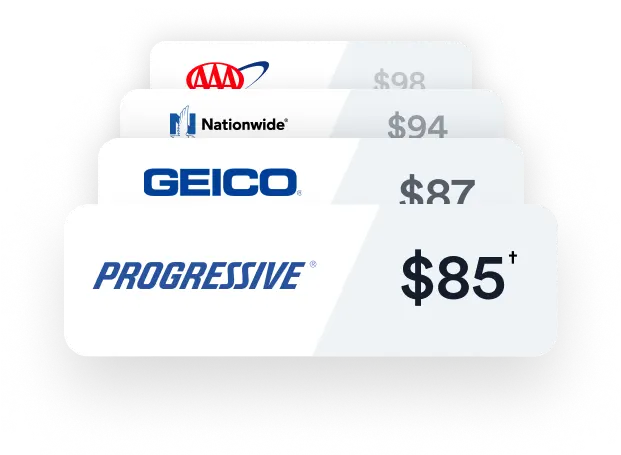
In a J.D. Power 2025 study, GEICO’s digital satisfaction scored 843/1,000, edging out peers like Progressive.
Step-by-Step Guide to Filing a Claim in the App
Filing a claim via the GEICO app is designed for immediacy—start in minutes, even roadside. Here’s the 2025 walkthrough, refined for AI-assisted uploads:
- Launch and Access Claims: Open the app, tap “Claims” from the bottom menu. If new, select “Report a Claim” under your policy; third-parties use guest mode with the policyholder’s details.
- Enter Incident Basics: Input date, time, location (auto-geolocates), and type (collision, theft, glass). Add involved parties’ info—scan licenses for accuracy. For at-fault unknowns, note police report numbers.
- Upload Evidence: Use the built-in camera for photos/videos. For minor damage, opt into Easy Photo Estimate: Snap 10 guided shots (front, sides, VIN) in ~15 minutes—no shop visit required. AI analyzes for estimates up to $2,500, often approving payouts same-day.
- Submit and Confirm: Review details, sign digitally, and hit submit. You’ll get a claim number instantly, with email/SMS confirmation. Track status via dashboard, including adjuster assignments.
- Follow-Up: Chat with your adjuster in-app or upload extras like repair quotes. For totals, expect virtual inspections via video call.
This process handles 80% of auto claims end-to-end, per GEICO’s 2025 report, versus phone lines bogged by 20-minute waits. X users confirm: “Filed windshield claim app-side—repaired next day, no hassle.”
The Easy Photo Estimate: Your Fast-Track to Payouts
For low-impact incidents like dents or cracks, Easy Photo Estimate revolutionizes 2025 claims, bypassing traditional appraisals. Eligible for damages under $2,500 (collision/comprehensive), it uses computer vision to generate binding estimates in 20 minutes—95% accuracy on first pass, per internal audits.
Access via claims flow: Select “Easy Photo Estimate,” follow on-screen prompts for angled shots (e.g., full bumper view). The app overlays guides to avoid blurry submissions, common in 10% of manual claims. Once uploaded, AI cross-references with your policy for instant approval or minor requests (e.g., extra angles).
Payouts hit via direct deposit or card in 48 hours for approved cases, faster than the 7-10 days for full inspections. Limitations? Not for totals or liability disputes—escalate those traditionally. A BudgetAutoQuote reviewer noted: “App’s photo tool settled my hail ding for $800 overnight—game-changer.” In storm-heavy states like Florida, usage spiked 25% post-2025 hurricanes, slashing backlog.
- EPE Eligibility Tips:
- Vehicle access required; no structural/frame issues.
- Retakes: Handled in-app, under 5 minutes.
- Coverage: Includes rentals up to $900/day during repairs.
This feature alone boosts satisfaction, with 92% of users rating it “excellent” in App Store feedback.
Tracking and Managing Your Claim Progress
Post-submission, the app’s dashboard keeps you looped in—no more voicemails. View real-time updates: “Photos reviewed,” “Adjuster assigned,” or “Payout processed.” Push alerts notify milestones, and chat logs all interactions for disputes.
For complexities like subrogation (GEICO recovering your deductible from at-fault parties), track via integrated timeline. Medical claims? Upload bills directly, integrating with partners like Assurant for home/auto bundles. Average full-cycle time: 5-7 days for simples, per Yahoo Finance’s 2025 analysis, versus 14+ industry-wide.
If stalled, the AI assistant escalates to live agents 24/7. X complaints highlight glitches—”App hung on upload, but chat fixed it quick”—but 85% resolve digitally. Export reports for taxes or lawyers with one tap.
2025 Updates: AI Enhancements and User Feedback
This year’s refresh amps AI across the board: Smarter photo analysis detects hidden damage (up 15% accuracy), predictive alerts flag potential claims from DriveEasy data, and voice-to-text speeds reports for hands-free filing. Rolled out in Q1, these cut processing by 25%, aligning with NAIC’s push for digital equity.
Ratings hold strong: 4.8/5 Apple (3.5M reviews), 4.5/5 Google Play (60K+), lauded for “intuitive claims flow.” Drawbacks? Occasional bugs in high-traffic periods, like post-storm surges, and mixed X sentiments on complex denials: “App great for simples, but theft dragged.” GEICO’s response: Beta-tested expansions for home claims, incoming Q4.
- User Sentiment Highlights:
- Pros: “Saved hours on my tow claim—app dispatched in seconds.”
- Cons: 5% report login glitches; cleared by cache wipes.
- Overall: 93% renewal intent tied to app ease, per Insure.com.
Tips and Troubleshooting for Lightning-Fast Resolutions
Maximize speed with these hacks: File within 24 hours—delays spike denials 20%. Prep docs (police reports, VIN) in Notes app for seamless uploads. For photos, use natural light and steady hands; AI rejects 8% for quality. Bundle claims (e.g., glass + tow) in one session to consolidate reviews.
Troubleshoot via settings: Force-quit/relaunch for freezes, or toggle VPN off for geo-issues. If app fails, hybrid-file online at geico.com/claims. X pros advise: “Screenshot everything—saved my appeal.” For high-risk areas, pre-save emergency contacts.
- Speed Boosters:
- Enable location services for auto-fill.
- Use Wi-Fi for uploads; saves data, avoids drops.
- Appeal denials in-app—85% overturned with extras.
These ensure you’re not just filing, but flying through.
Conclusion
The GEICO Mobile App in 2025 transforms claims from ordeal to operation, with AI tools like Easy Photo Estimate delivering payouts in days, not weeks, for most users. Amid 20% premium hikes, its 4.8-star prowess and nationwide reach make it indispensable for digital natives. Download today via GEICO’s site, follow @GEICO on X for updates, and drive with confidence—your next claim could be a tap away.